Create, plan, and publish your marketing content in one place
Digibate gives eCommerce brands everything they need to generate content, create stunning visuals, and publish across multiple platforms — all in one streamlined workflow.
Whether you’re launching new products, running seasonal campaigns, or keeping your social media active, Digibate helps you save time and stay consistent.
📸 1. Create Product Photoshoots Without a Studio
High-quality product imagery is crucial for eCommerce — and with Digibate, you don’t need expensive equipment or a photoshoot team.
You can:
- ✏️ Add your product URL and let Digibate scan your product info
- 🧠 Choose the photoshoot style — studio, lifestyle, flat lay, or creative concepts
- 💡 Adjust camera angles, lighting, and aspect ratios to fit different platforms
- 🪄 Generate AI-powered product images in seconds
- 🖌 Edit and customize your images using the Creative Editor
👉 Perfect for creating product shots for your online store, ads, and social content — fast.
🧠 2. Generate Platform-Specific Content in Bulk
Managing multiple platforms can be time-consuming, especially when each one requires a different style. Digibate makes it easy to generate multiple posts at once tailored to each channel:
You can:
- 📲 Choose platforms like Instagram, Facebook, LinkedIn, or X (Twitter)
- 📝 Enter your base prompt or campaign idea
- 🎨 Select the content style — promotional, educational, entertaining, explanatory, news, or FAQ
- ✨ Let Digibate generate platform-specific captions and formats (posts, stories, reels, etc.)
- 🖼 Add visuals from AI image generation, stock libraries, uploads, or your existing library
💡 You can also create multiple versions for each platform at once, making campaign planning much more efficient.
📅 3. Schedule & Publish Your Content Seamlessly
Once your content is ready, Digibate lets you schedule or publish directly to your connected social media accounts.
- 🗓 Schedule posts to keep your content calendar full in advance
- 🚀 Publish instantly across multiple platforms with one click
- 📌 All scheduled and published content appears in your Content Calendar, so you always have a clear overview
- 🔗 If accounts aren’t connected, you can still save posts to the calendar and copy them manually
👉 This is ideal for eCommerce brands planning product drops, seasonal campaigns, or ongoing promotions.
🧰 4. Customize Visuals with the Creative Editor
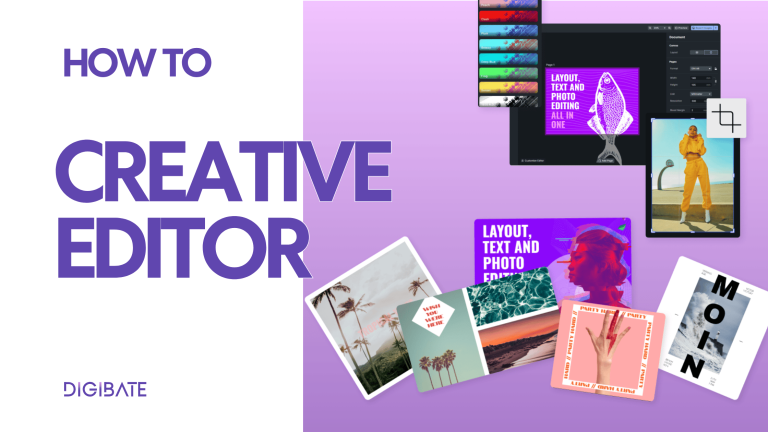
Brand consistency matters — and Digibate’s Creative Editor gives you full control over your visuals without needing Photoshop or design tools.
With the editor, you can:
- ✍️ Edit text, fonts, colors, and overlays
- 🖼 Replace or adjust product images
- 🌈 Apply filters, effects, and brand elements
- 📐 Align, group, and resize elements with ease
- 📂 Use your brand asset library (logos, icons, stickers, etc.)
Perfect for adapting visuals to match seasonal campaigns, product launches, or ad creatives while keeping everything on-brand.
🔖 5. Optimize with Hashtags & CTAs
Reach and engagement are everything in eCommerce. Digibate helps you boost discoverability and drive action by incorporating effective hashtags and CTAs:
- 📢 Add relevant, well-balanced hashtags to target niche communities and trending topics
- ✍️ Use clear CTAs to guide followers toward purchases, signups, or engagement (e.g., “Shop now”, “Tag a friend”, “Tap the link in bio”)
- 🔁 Rotate hashtags and experiment with CTAs to find what drives the most clicks and conversions
This is a simple but powerful way to make your content work harder for you.
📊 6. Keep Your Content Organized & Scalable
As eCommerce brands grow, so does their content output. Digibate helps you stay organized and scale your marketing without chaos:
- 🧠 Keep all your campaigns, posts, and assets in one place
- 🔄 Reuse templates and hashtag sets for new launches
- 📅 Plan content weeks or months ahead with the calendar
- 🧩 Collaborate smoothly if multiple team members are working on content
👉 No more scattered Google Docs, multiple tools, or endless copy-paste between platforms.
🌟 Real Ways eCommerce Brands Use Digibate
Here are a few common scenarios:
- 🆕 Product Launch Campaigns → Generate images, posts, and launch content for multiple platforms in one workflow.
- 📸 Catalog Revamps → Refresh your entire image library with AI product photoshoots.
- 🛒 Seasonal Sales → Create and schedule promotional campaigns for Black Friday, Christmas, or summer sales.
- 📈 Always-On Social → Keep a steady stream of posts, stories, and reels without burning hours on manual content creation.
- 🤝 Brand Collaborations → Produce cohesive cross-platform content for influencer partnerships and collabs.
✅ Why eCommerce Brands Love Digibate
- ⏱ Saves massive time on content creation and scheduling
- 🎯 Keeps content on-brand with templates and creative tools
- 🧠 Scales marketing easily without growing your team
- 📲 Covers all channels in one place — no juggling multiple apps
- 🚀 Boosts engagement and reach through smart formatting, visuals, and hashtags
✨ Final Thoughts
Digibate is designed to help eCommerce brands work smarter, not harder. From product imagery to social content, scheduling, and campaign management — everything happens in one place.
This means less time managing tools, and more time growing your brand.